Your medical history, kept for you.
MedVault keeps your conditions, medicines, letters and results in one calm place on your iPhone, and turns them into a summary you can hand to a specialist. So you are not re-explaining everything from memory on a bad day.
Free. For iPhone and iPad.
Is my information safe?
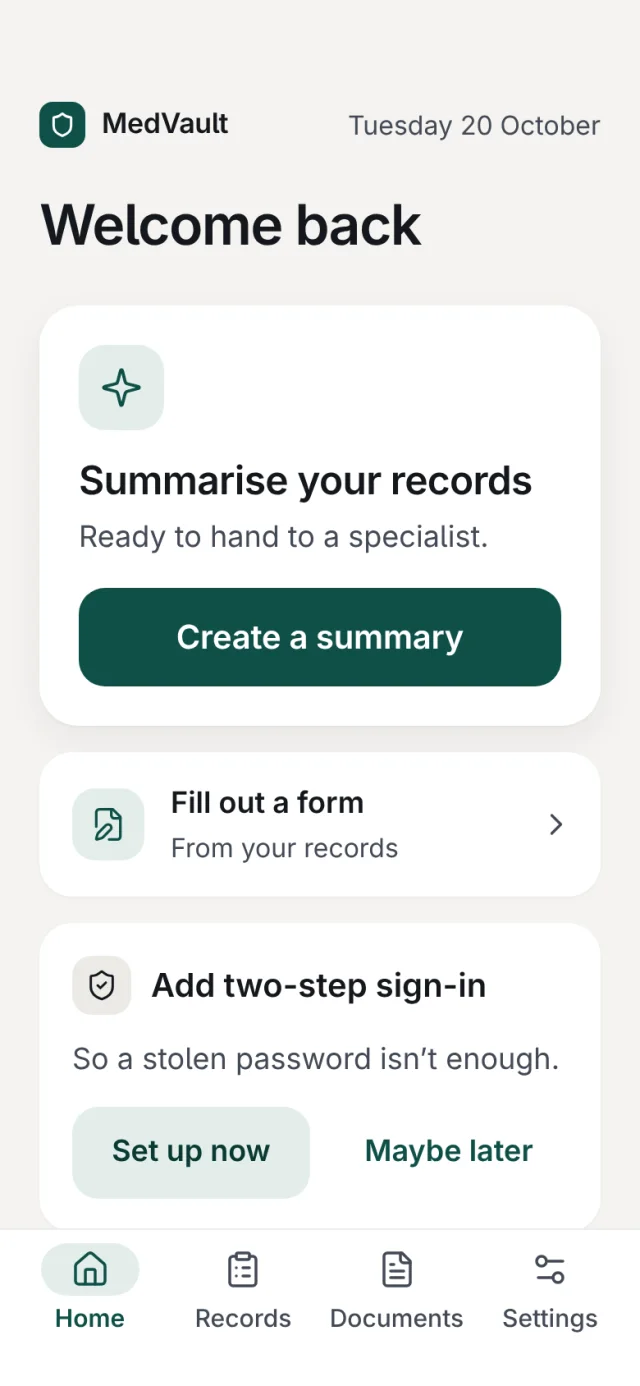
It is kept in Australia, and what you save is locked on your phone with your password before it is stored.
- Stored in AustraliaYour records are stored in Sydney, and the reading and writing the app does for you runs there too.
- Locked when you step awayMedVault locks itself after a while away, and hides your screen in the app switcher.
- Face ID, if you want itUnlock with your face or fingerprint instead of typing your password each time.
- A recovery code only you keepWrite it down once. It is your way back in if you ever forget your password.
What does the AI see?
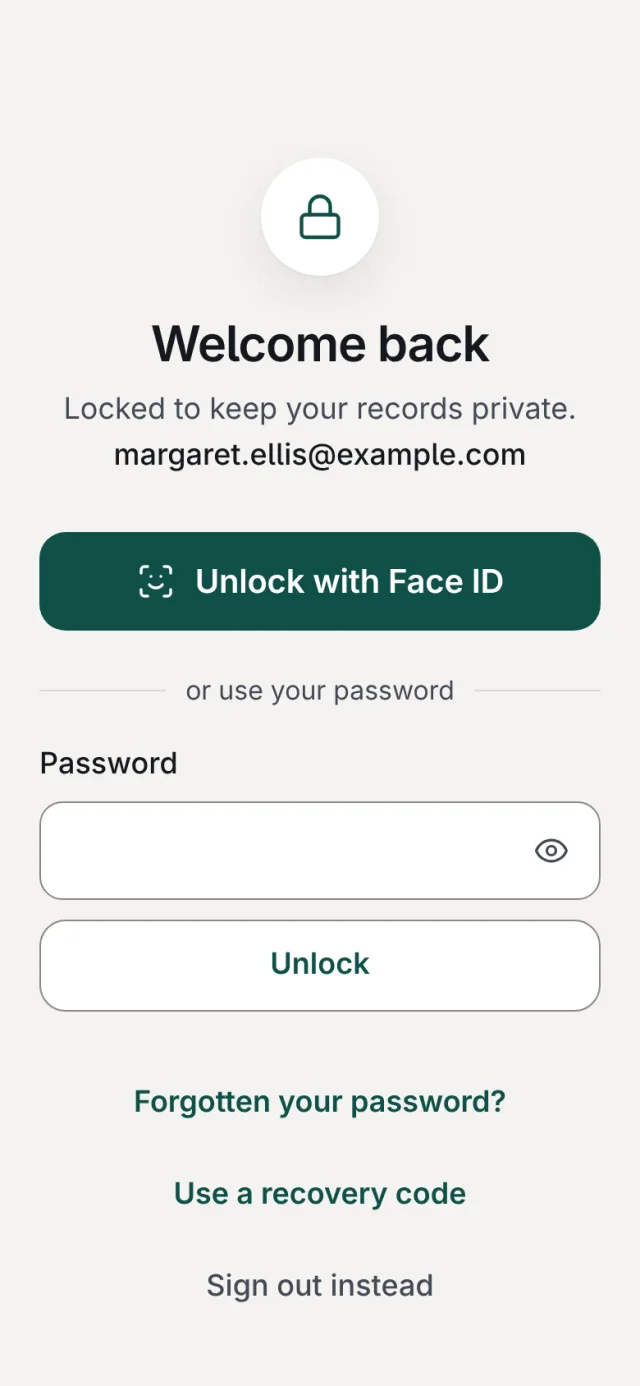
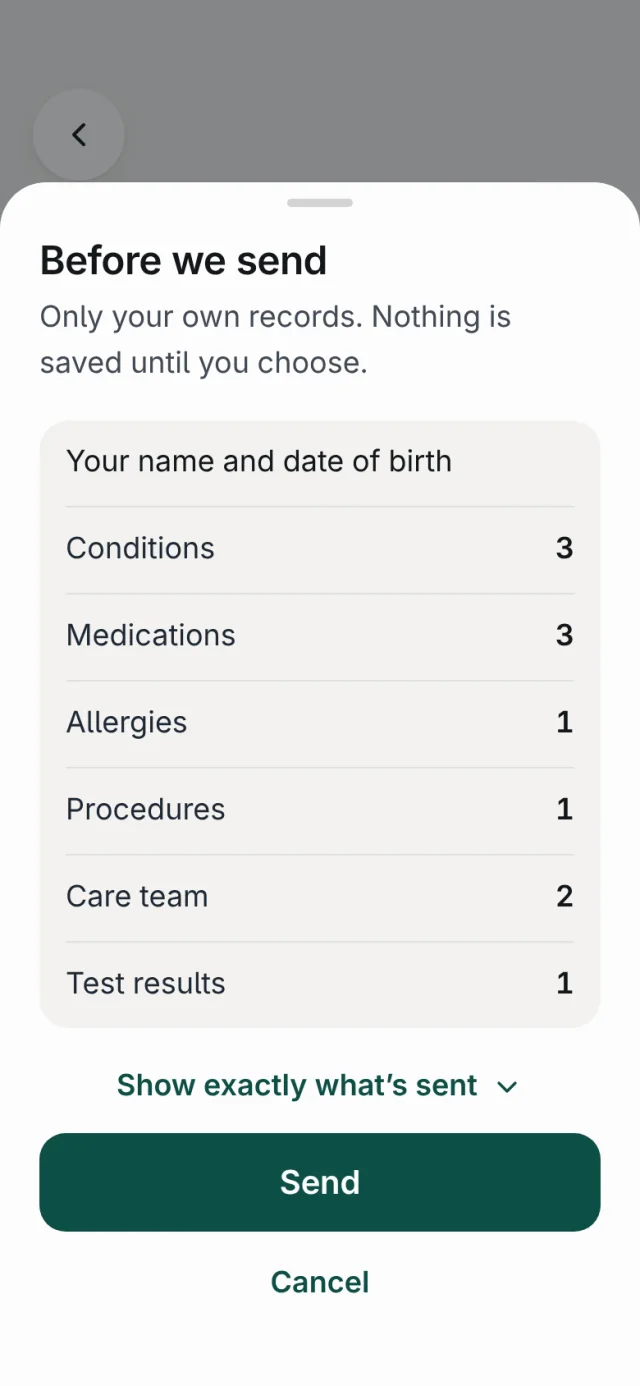
Only what you choose to send, shown to you before it goes. Nothing it finds goes into your record until you add it.
- Before we sendMedVault shows you exactly what is about to go, and waits for you to say yes.
- Review what we foundAdd, change or skip each item, one at a time. You can undo.
- It stays in AustraliaThe AI runs in Sydney, and what you send is not used to train it.
MedVault organises what you give it. It does not diagnose, give medical advice or recommend treatment.
Will it take a lot of energy?
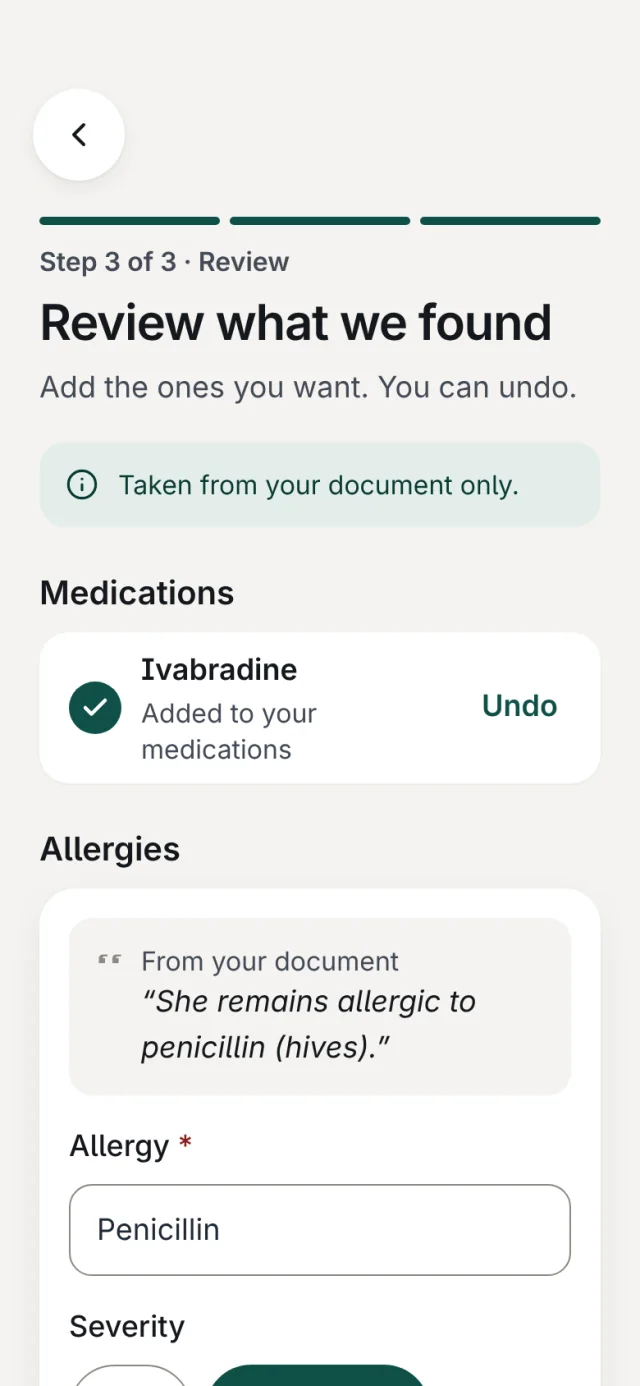
As little as we can make it. Large type, one clear thing to do on each screen, and the tiring jobs done for you.
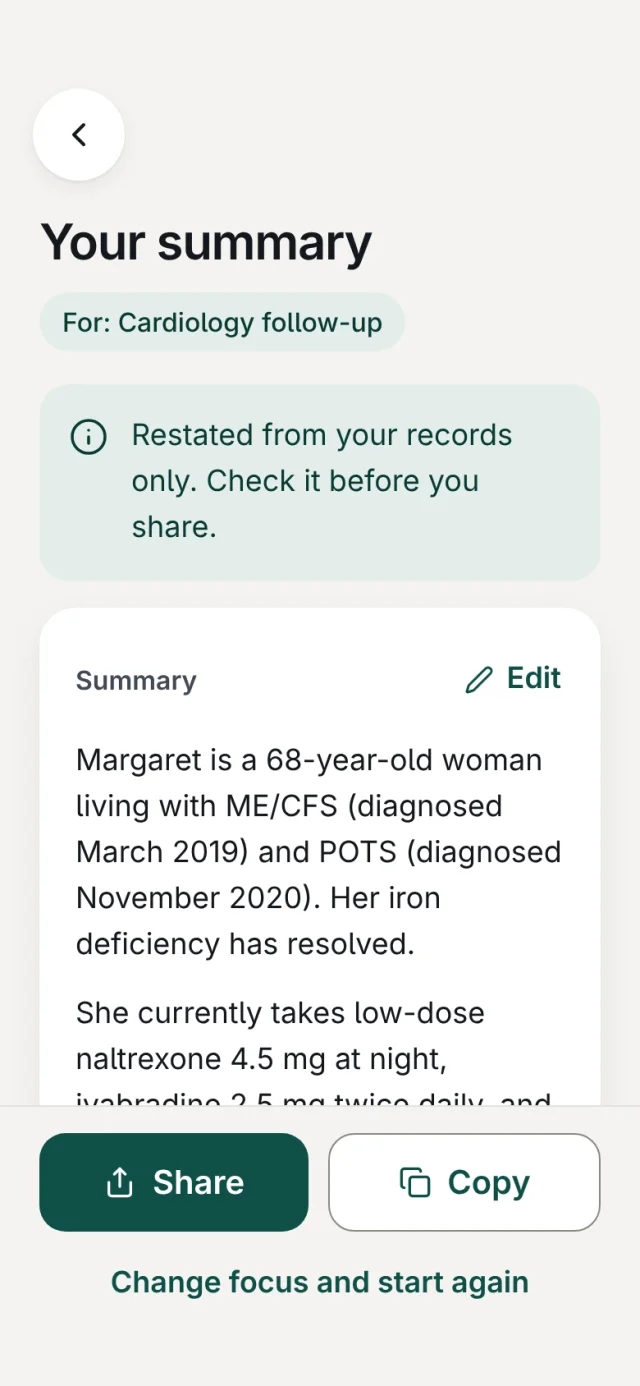
It writes the summary
A plain-language summary for a new specialist, restated from your records only. Edit it, then copy or share it.
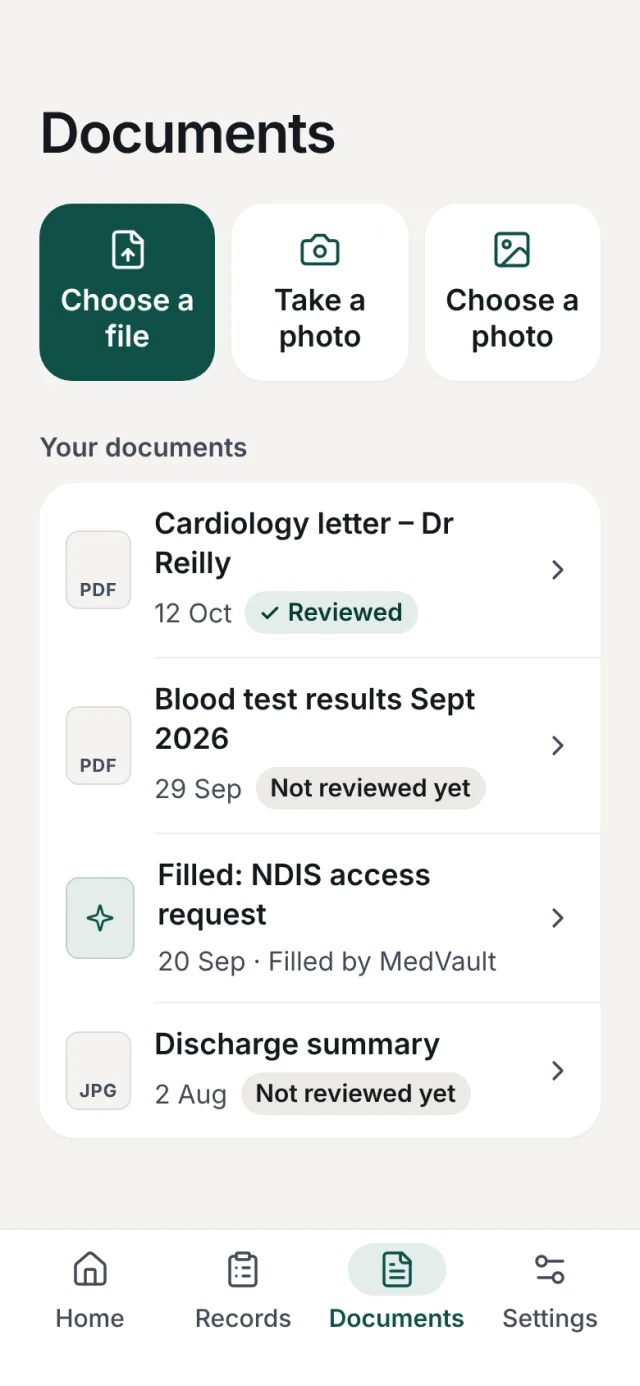
It reads your letters
Add a PDF or take a photo of a letter. MedVault picks out the details for you to check.
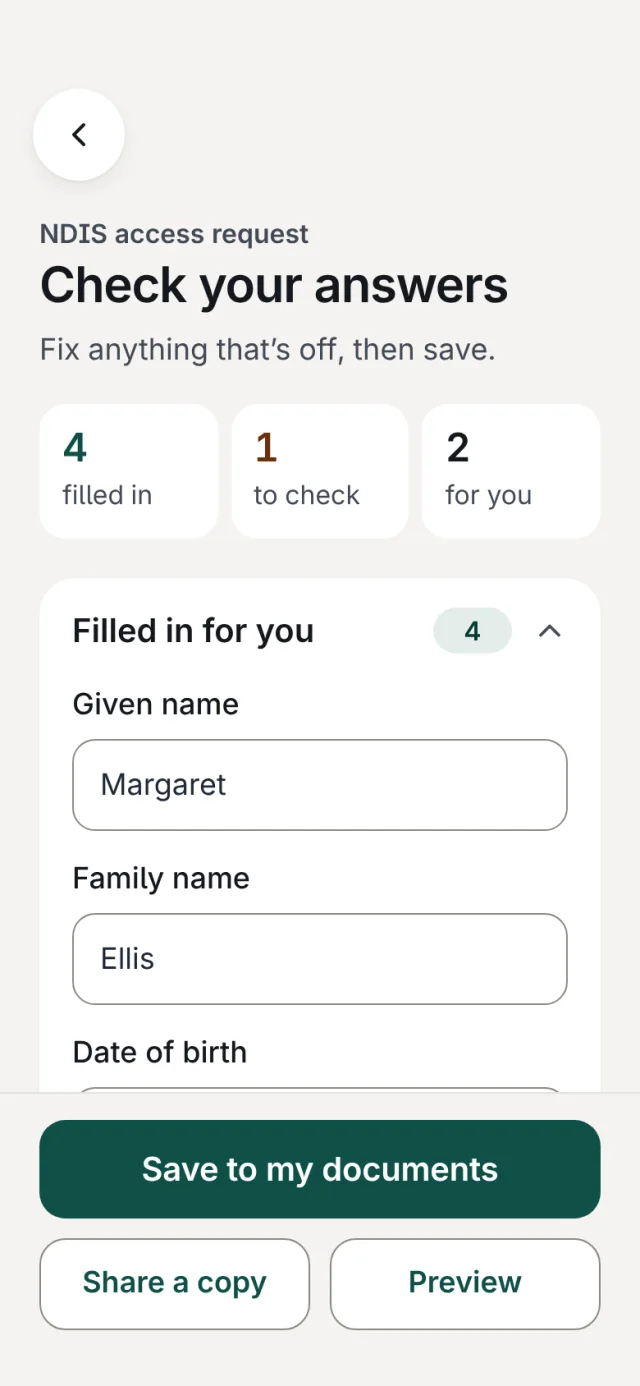
It fills in forms
Open a PDF form and MedVault fills what it can from your records. You check every answer.
What does it cost?
Nothing. MedVault is free on the App Store.
Free. For iPhone and iPad.
There is no Android version yet. Anything else? Read the common questions.